" height="82px" id="b5dHxnl3b" width="82px"/><path d="M 37.264 0.002 L 30.784 32.405 L 23.239 32.405 L 12.544 14.628 L 8.98 32.404 L 0 32.404 L 6.48 0 L 14.026 0 L 24.765 17.73 L 28.283 0 L 37.263 0 Z" fill="rgb(34, 34, 34)" height="32.40499999999997px" id="JmrH2esXS" transform="translate(11.5 28.5)" width="37.264px"/><path d="M 13.207 0 L 13.452 13.55 L 26.414 9.596 L 13.604 14.016 L 21.37 25.122 L 13.207 14.304 L 5.045 25.122 L 12.811 14.016 L 0 9.596 L 12.961 13.55 L 13.206 0 Z" fill="transparent" height="25.122000000000014px" id="cu5VIAbrZ" stroke-dasharray="" stroke-linecap="butt" stroke-linejoin="miter" stroke-miterlimit="1.269" stroke-width="3.306" stroke="rgb(34, 34, 34)" transform="translate(46.5 11)" width="26.413999999999994px"/></g></svg>)
4 design patterns of Spotify I can't get used to after years on Apple Music
I used Apple Music for over a decade before switching to Spotify in the end of 2024.
One of the main reasons was music discovery — which is amazing. I guess I’ve found more new artists and playlists in 6 months than I did in years. There are other great features Apple Music didn’t have, like the convenient cross-device playback or having music and podcasts in the same app.
But some UX/UI patterns confuse me on a daily basis. What follows is a breakthrough with some improvement ideas.
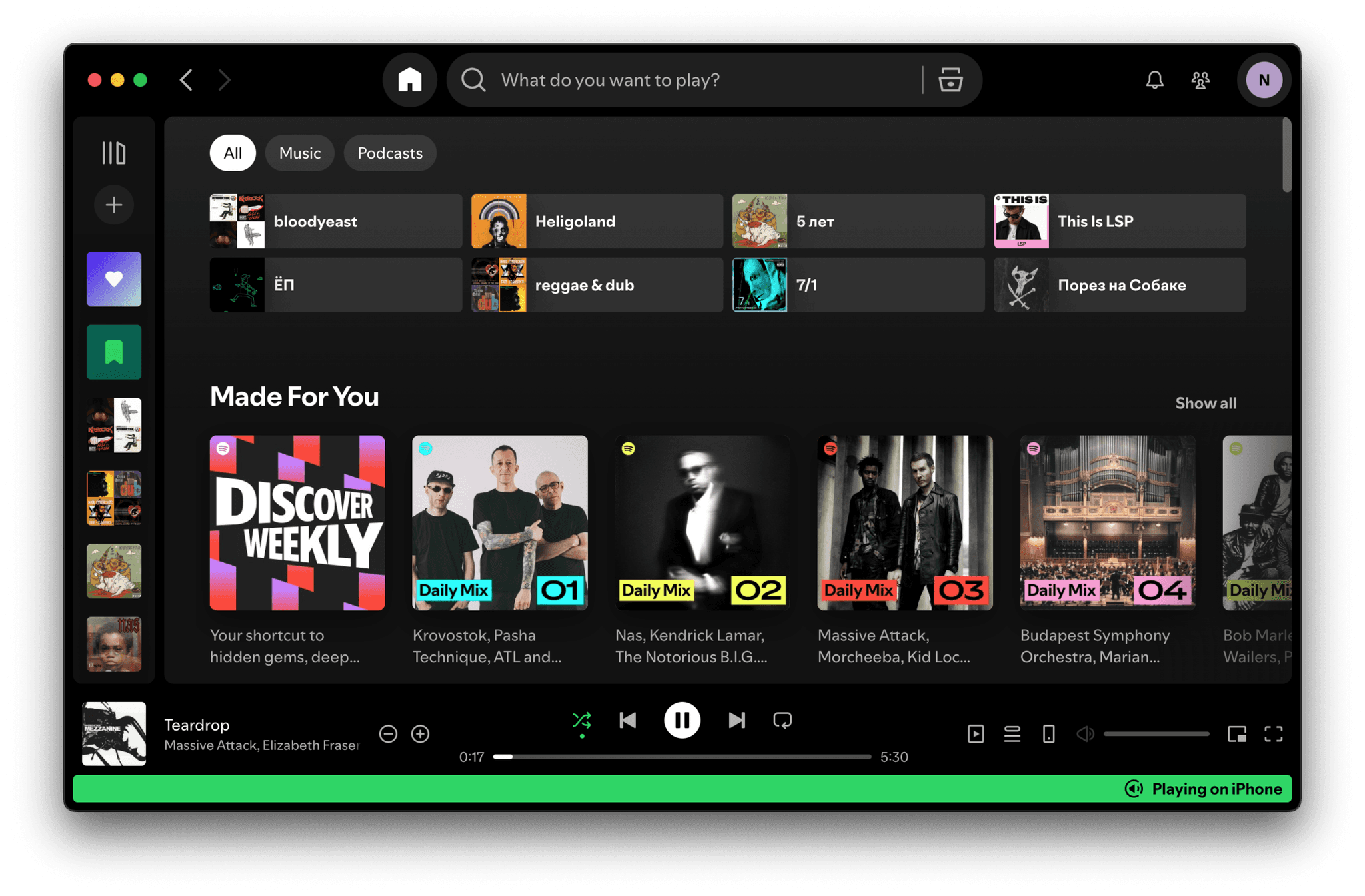
“Liked Songs” vs ”Library”
Saving a track for later is labeled “Add to Liked Songs”. Saving an album or a playlist — “Save to Your Library”. Two functions for the same action — why?

All songs that you save for later land in a single playlist. Which also seems confusing to me — this mixture of different genres and moods sounds quite strange together.
Probably I got too used to the Apple Music’s “Your Library” concept, which is also more flexible: allows you to save as many songs from each release to the library as you want.
Bonus: I use the German version of the app, where the “Liked Songs” is called “Lieblingssongs” (=favorite songs). Why “Favorite” if I simply want to listen to it again sometime? 🤔
Unpredictable queue behavior
I add tracks to the queue while listening to the album/playlist A, then start another album/playlist — B. The first track from the B is played, then the old queue resumes.
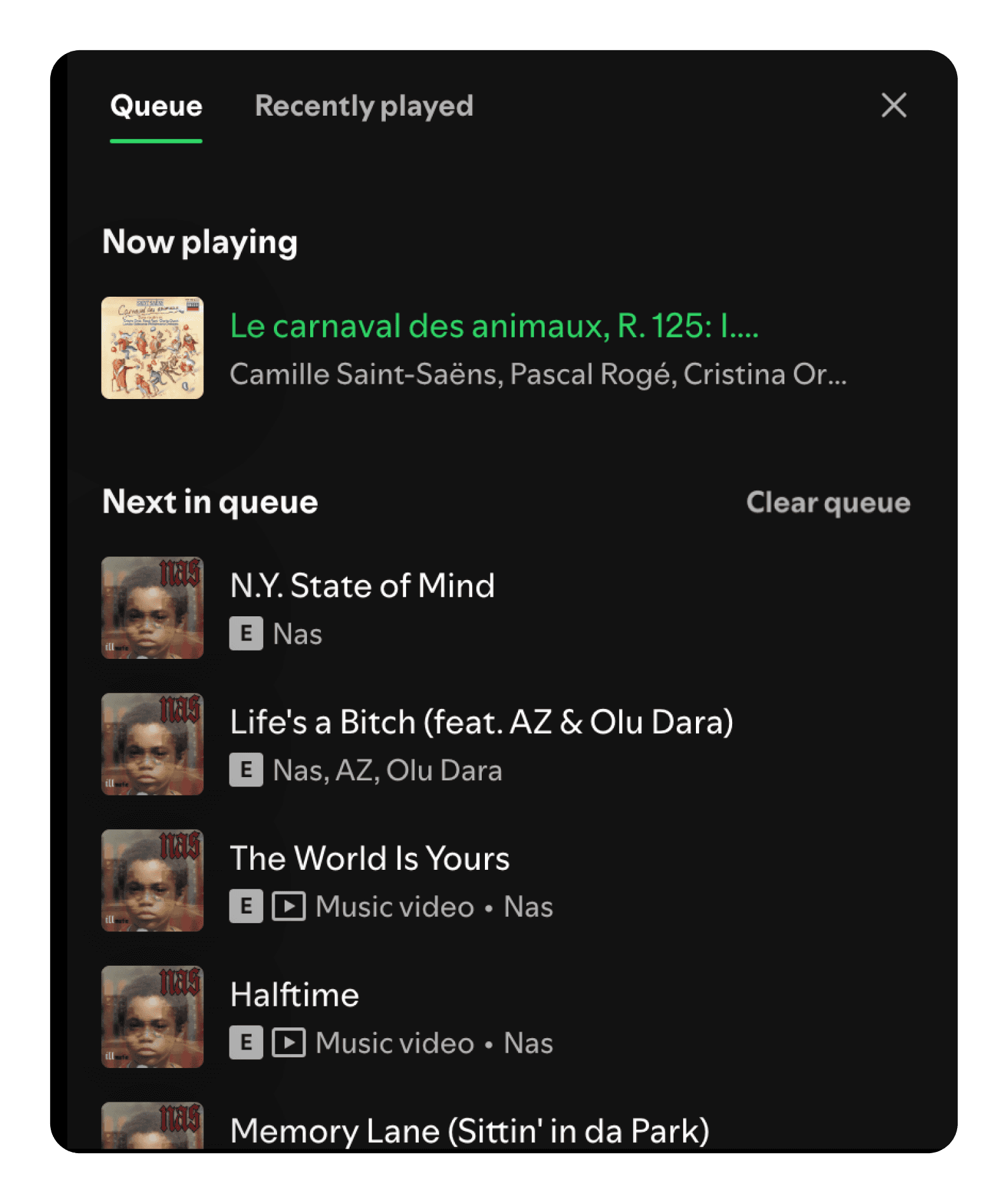
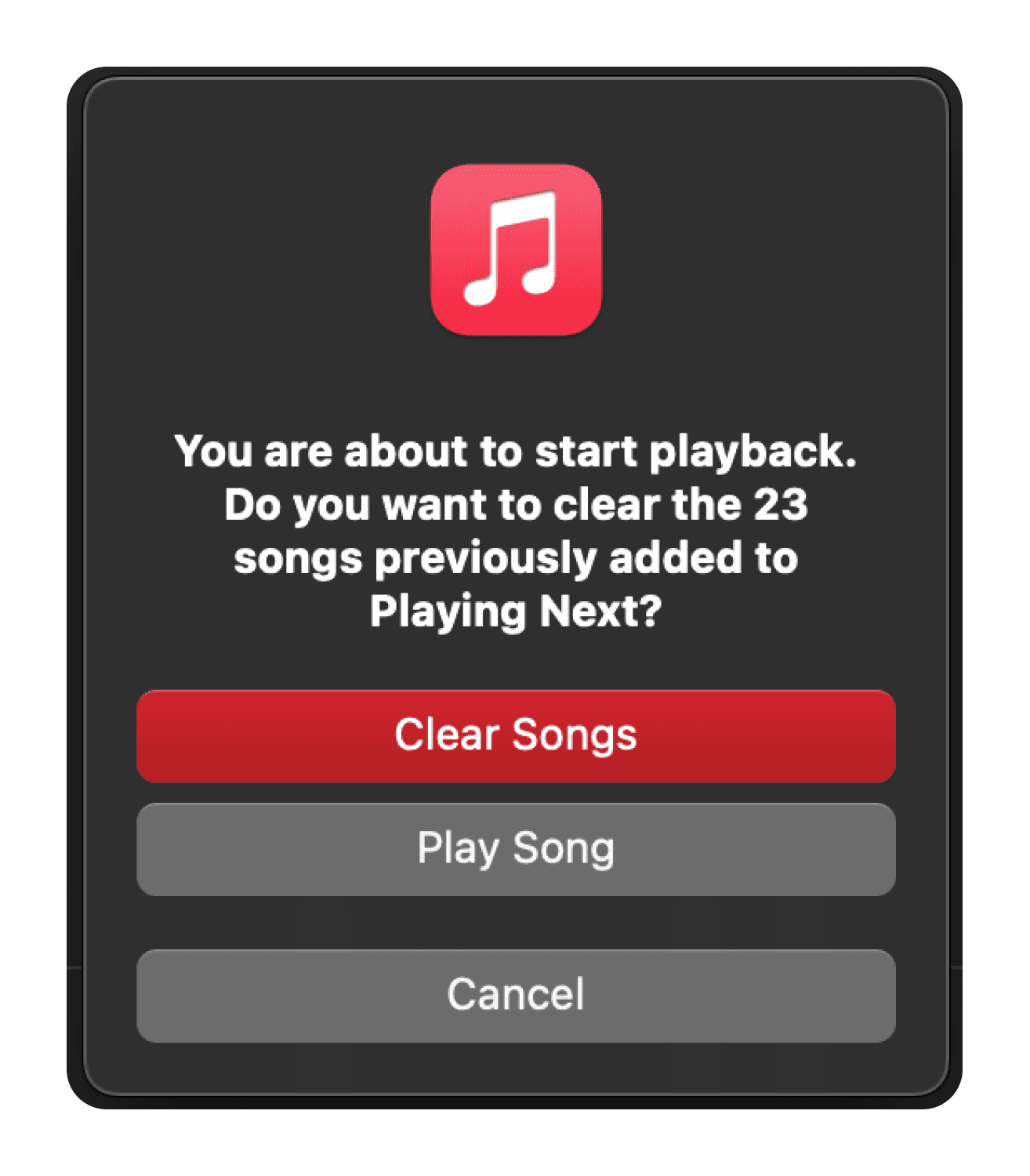
To continue listening to the new playlist you just started: open the queue → clear it → skip to the next track. Apple Music solves this with a simple popup asking whether you want to clear queue.
This is especially irritating and distracting when switching between genres. Track combination on the screenshot is based on a true story 😁
Too many lists, too little focus
The Mac OS App tends to stick to the 3-column layout. The user faces three scrolling modules at ones, which can be quite distracting:
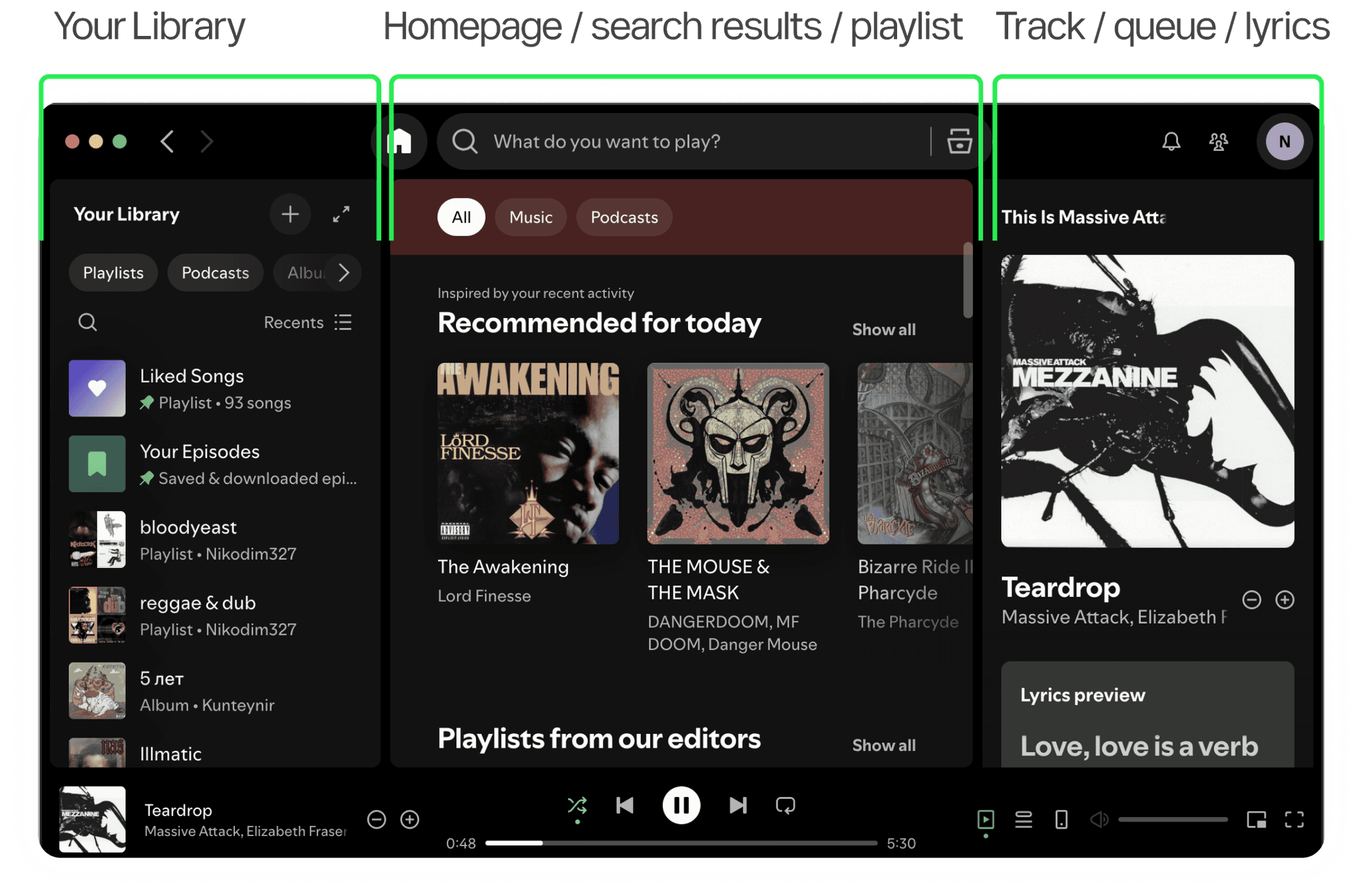
Closing the left and right panels is not that easy, which takes us to my last criticism — dispersed control UI.
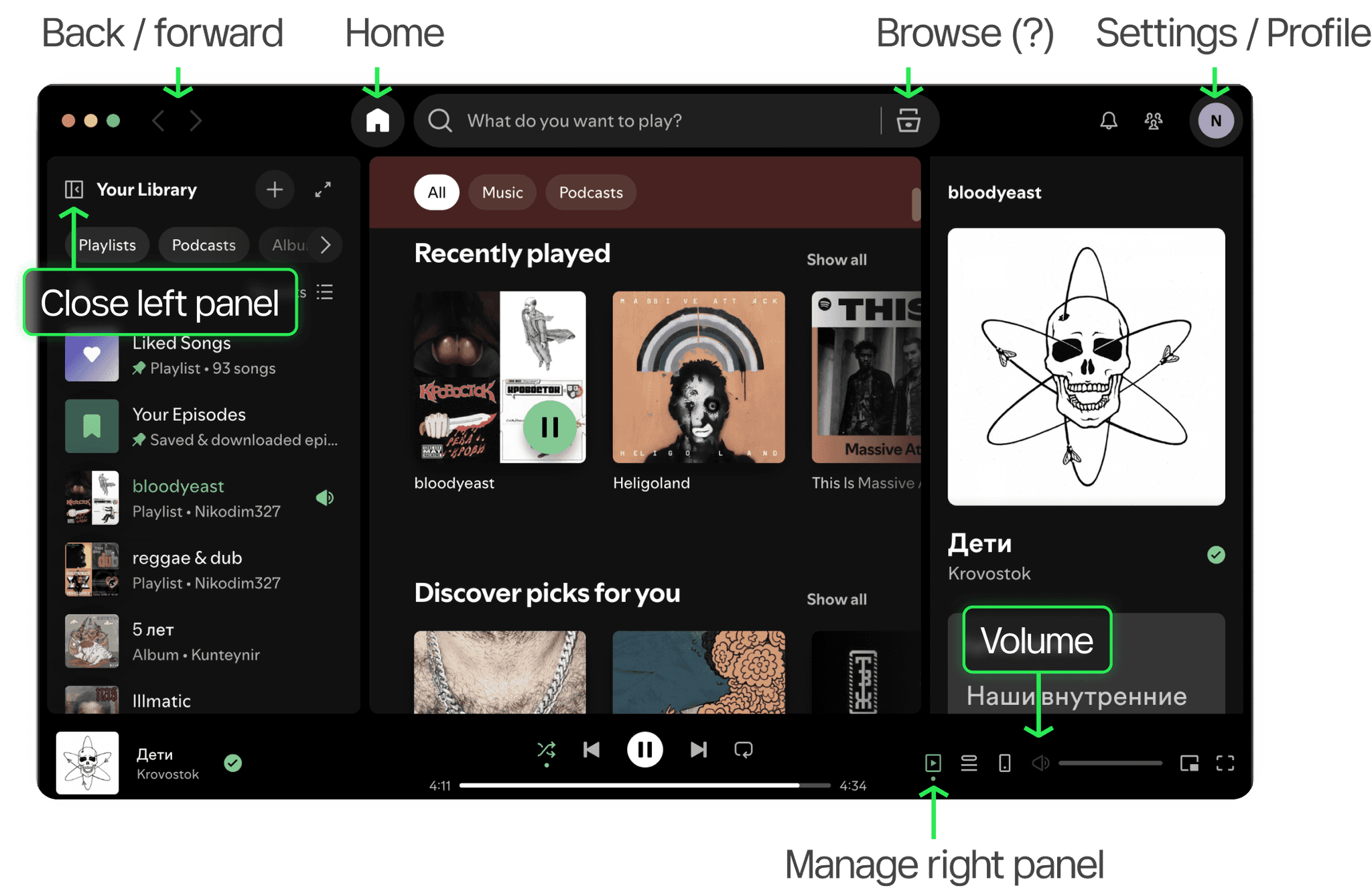
Dispersed control UI
Controls live in literally ALL corners of the Mac OS App.
Want to go back? Top-left.
Playback control? Bottom bar.
Close the side panels? Button shown only on hover over the panel heading.
The transition from Apple Music to Spotify has taught me how much our habits and expectations are shaped by long-term usage of the same apps, since I still feel the friction between my habits and the app’s UX after 6 months.
I was also genuinely surprised by the amount of problematic UX features in a product that is often called between top tech companies, or dream employers.